
Most App Store installs start with a search. Apple decides which searches your app shows up in almost entirely from the words in your listing: the title, the subtitle, the 100-character keyword field, and the localized versions of each. If the phrase a user types is not in there, your app does not exist for that user, no matter how good the screenshots are.
This developer had a working app, a decent listing, and flat installs of around 15 a day. The listing was in one language and the metadata had been written the way most first listings are written: by describing the app, not by targeting what people actually search for.
The fix was one update. No feature work. They ran the app through the SnapMonk ASO Report, picked the keywords worth going after, rewrote the metadata around them, added a new localization, and submitted. Apple approved it, and installs moved the next day.
The problem
Here is what was holding the listing back, and why it was invisible to most of the people who would have wanted the app.
- The title and subtitle described the app instead of matching the phrases users type into App Store search.
- The keyword field was guessed, not measured. There was no view of demand, difficulty, or where the app currently ranked.
- The listing existed in a single storefront language, so every other market searched in words the listing did not contain.
- With ranks moving slowly, there was no feedback loop to tell whether a metadata change was helping or hurting.
What they did
- 1Run the SnapMonk ASO Report
Pasting the App Store URL returned 50 keyword ideas scored by demand, difficulty, and opportunity, with the app’s current rank on each. That replaced guessing with a ranked list of what was worth targeting.
- 2Pick keywords the app could realistically win
The shortlist was terms with real search demand that were not already owned by category giants. Popular but impossible keywords were dropped in favor of ones the app could climb.
- 3Rewrite the metadata around them
Title, subtitle, and the keyword field were rebuilt so the highest-value phrases sat in the fields Apple weights most, with the description reinforcing the same intent.
- 4Add a new localization
A second storefront language was added so the listing “finally speaks the store’s language,” opening a whole new set of searches the app had never appeared in.
- 5Ship it and watch the ranks
The update went out as a metadata-only release. Apple approved it, and the SnapMonk Rank Tracker checks the target keywords daily, per country, so the developer can see which ones are climbing and where the next localization pass should go.
The results
Nothing else changed in the window: same features, same price, same screenshots, no ads, no launch post. The only difference on the listing was the words.
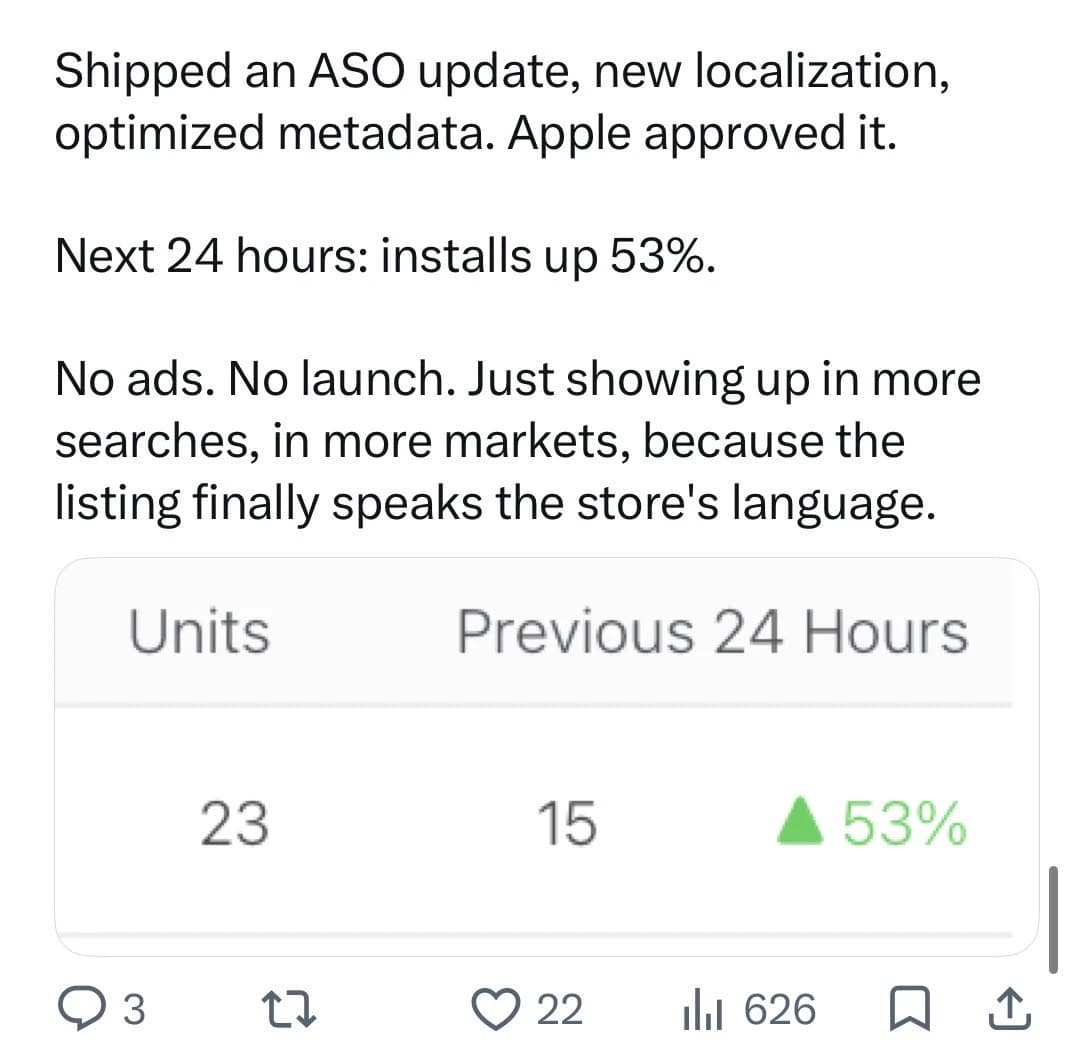
In the 24 hours after Apple approved the update, the app recorded 23 units against 15 in the previous 24 hours, a 53% increase. The developer’s own summary was that the app was simply showing up in more searches, in more markets.
A single day is a short window, and daily install counts are noisy at this scale, which is exactly why the keywords are now in the Rank Tracker. A sustained climb in rank, per keyword and per country, is the signal that the change stuck.
How this was measured
A before-and-after observation: the same listing measured in two periods, with the change made in between. Observed after the change is not the same as caused by it.
- Study design
- Before-and-after observation
- Apps measured
- One indie iOS app, kept anonymous at the developer’s request.
- Comparison window
- The 24 hours after Apple approved the metadata update, against the 24 hours before it (update approved early September 2026).
- Sample size
- 23 units after against 15 units before. That is 8 additional installs in one day.
- What changed
- App Store metadata: title, subtitle, keyword field, and description rewritten around keywords from the SnapMonk ASO Report.
- One new storefront localization added.
- Held constant
- No new features, no price change, no new screenshots, no ads, and no launch post in the window, per the developer.
- Read with care
- One day of data on an app doing about 15 installs a day. At that volume, a swing of 8 units is within normal day-to-day variance, so this number alone does not establish that the change caused the lift or that it lasted.
- Single app, self-reported by the developer in a public post with an App Store Connect screenshot. SnapMonk did not have direct access to the account.
- Not a controlled test. Apple’s Product Page Optimization cannot test metadata, so a controlled version would need a search ads or territory-split design.
- What would strengthen it
- A 30-day comparison of units and App Store search impressions before and after the update, plus the daily rank history for the target keywords from the Rank Tracker. This page will be updated when the developer shares those figures; until then, read the headline number as an early observation.
Shipped an ASO update, new localization, optimized metadata. Apple approved it. Next 24 hours: installs up 53%. No ads. No launch. Just showing up in more searches, in more markets, because the listing finally speaks the store’s language.
The takeaway
Screenshots convert the people who find you. Keywords decide whether anyone finds you at all. The order matters: pick keywords with real demand you can win, put them in the title, subtitle, and keyword field, then let the screenshots and description do their job.
Localization is the multiplier most developers skip. Every additional storefront language is a fresh set of searches, and a listing that speaks the store’s language gets found by users who would never type an English query.
None of this required a feature, a designer, or a budget. It required knowing which keywords mattered and shipping one metadata update.
About SnapMonk
SnapMonk is an AI app screenshot generator for the App Store and Google Play. It turns raw app screens into store-ready screenshots, writing the captions, choosing the layout, adding device frames, and producing localized variants, then exports everything at the exact App Store and Google Play sizes. It is built for indie shippers who do not have a designer.
Frequently asked questions
Can changing App Store keywords really increase installs?
Yes. Apple matches search queries against your title, subtitle, and keyword field, so the words you choose decide which searches your app appears in. This app shipped a metadata and localization update built on keywords from the SnapMonk ASO Report and saw installs rise 53% in the following 24 hours, with no ads, no launch, and no new features.
How fast do App Store metadata changes show results?
Metadata changes take effect as soon as Apple approves the update, and search visibility can shift within a day. This app saw the lift in the first 24 hours. Rank changes for competitive keywords usually take longer to settle, which is why tracking ranks daily matters.
What does the SnapMonk ASO Report do?
You paste your App Store URL and SnapMonk returns 50 keyword ideas scored by demand, difficulty, and opportunity, with your current rank on each. It shows which keywords are worth targeting and which are already owned by bigger apps, so your title, subtitle, and keyword field are built on data rather than guesses.
How does the SnapMonk Rank Tracker work?
You add your app, the keywords you are targeting, and the countries you care about. SnapMonk checks your rank for each keyword every day, per country, and charts the trend over time, so you can tell a real climb from day-to-day noise and see which markets need the next localization pass.
Does localizing App Store metadata help installs?
It does. Each storefront language is a separate set of searches, and a listing that only exists in English is invisible to users searching in other languages. Adding a new localization was half of the update in this case study, and the developer attributed the lift to showing up in more searches in more markets.