
Count My Tap does one thing well: you tap, a number goes up. Reps at the gym, laps in the pool, people through a door, beads on a tasbih. It is the kind of small, honest utility that lives or dies on its store listing, because nobody reads a long description for a tap counter. They glance at the screenshots and decide.
That was the problem. The listing was pulling in steady traffic, but the screenshots were straight exports from the app: a bare counter on a plain background, no caption, no context. The single most important asset on the whole page, the first screenshot, never answered the only question a browsing user asks, which is "what is this and why would I want it?"
There was no designer on the project and no budget for one. Rebuilding a polished set by hand in Figma, then redoing it for every language, was never going to happen for a solo utility app. So the listing sat with raw frames, and installs sat with it.
The problem
Here is what the listing looked like before, and why it was leaking installs at the exact moment a visitor was deciding.
- The screenshots were raw in-app captures: a counter on a plain background, no headline, no story.
- The first frame, by far the most viewed asset on the page, led with UI instead of a promise.
- There were no localized variants, so German and Spanish speaking visitors hit English-only framing and bounced.
- With no designer and no time, producing a proper set per language by hand was off the table.
What they did
- 1Upload the raw screens
The existing in-app captures went straight into SnapMonk, the same screens already on the listing. No reshoot, no mockup hunting.
- 2Pick a direction and let the AI write the frame
SnapMonk chose a palette, framed the device, and wrote a headline for the lead screenshot so it opens with the promise ("Count anything with a tap") instead of a bare number.
- 3Localize the whole set
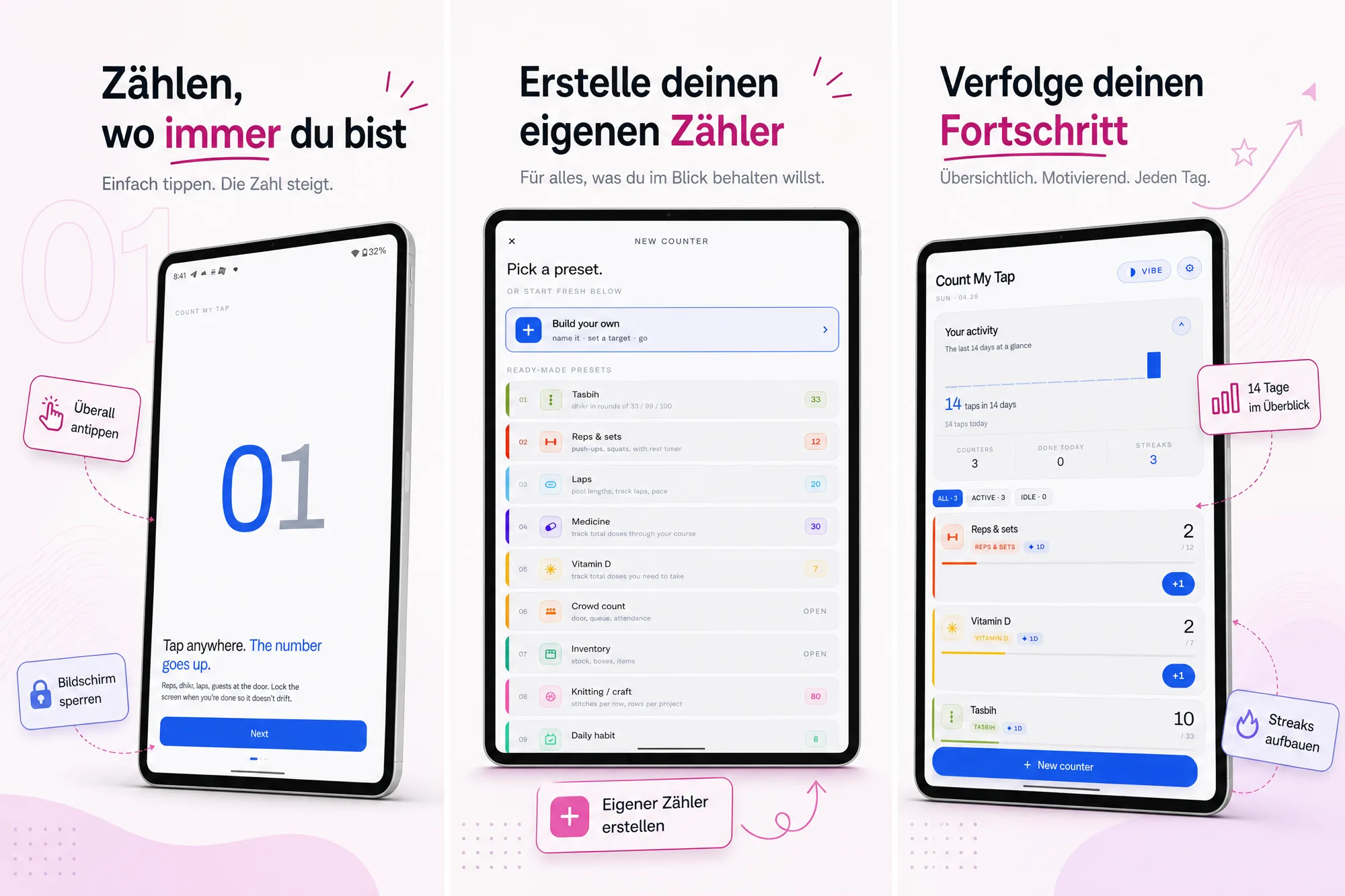
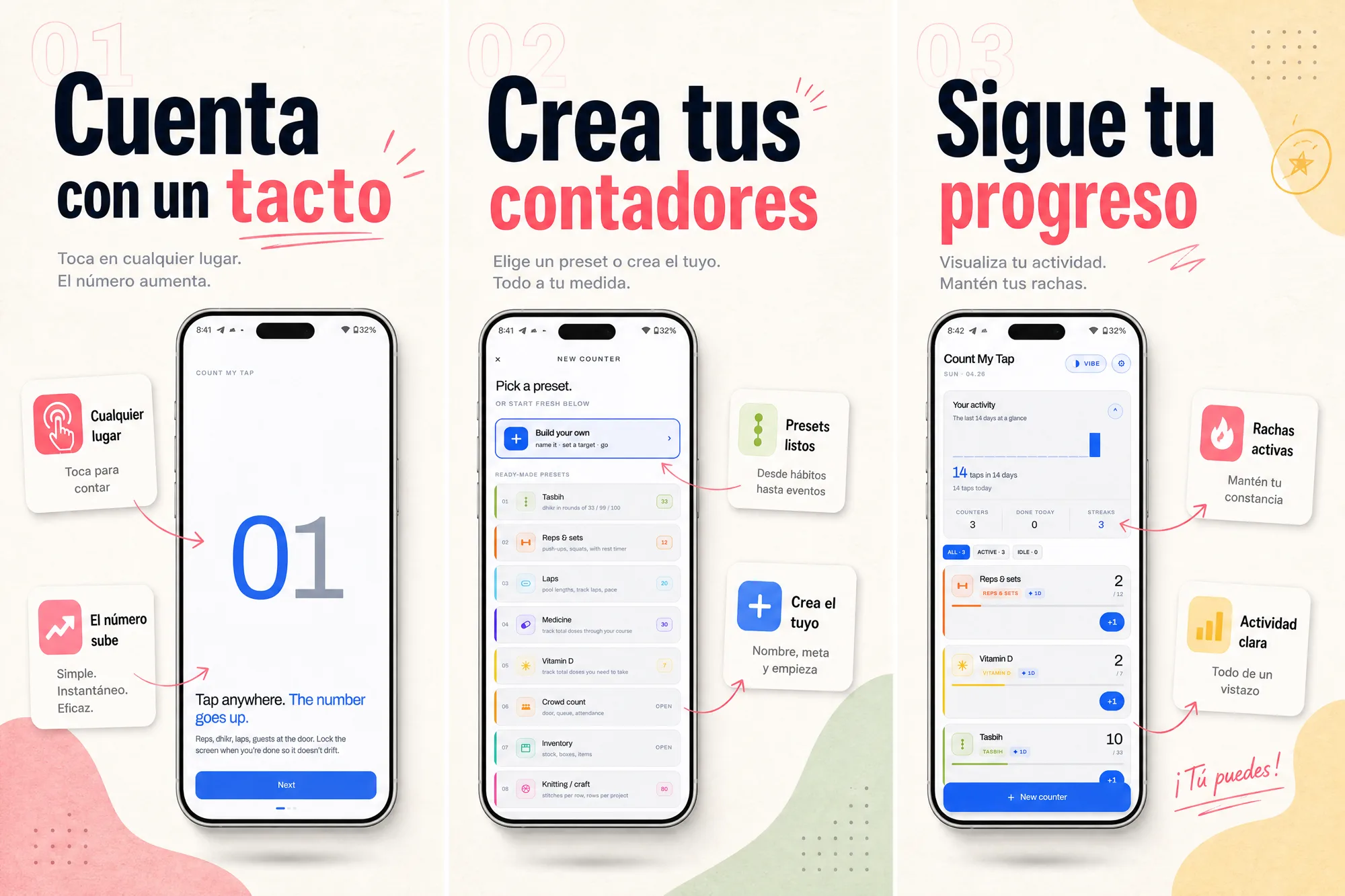
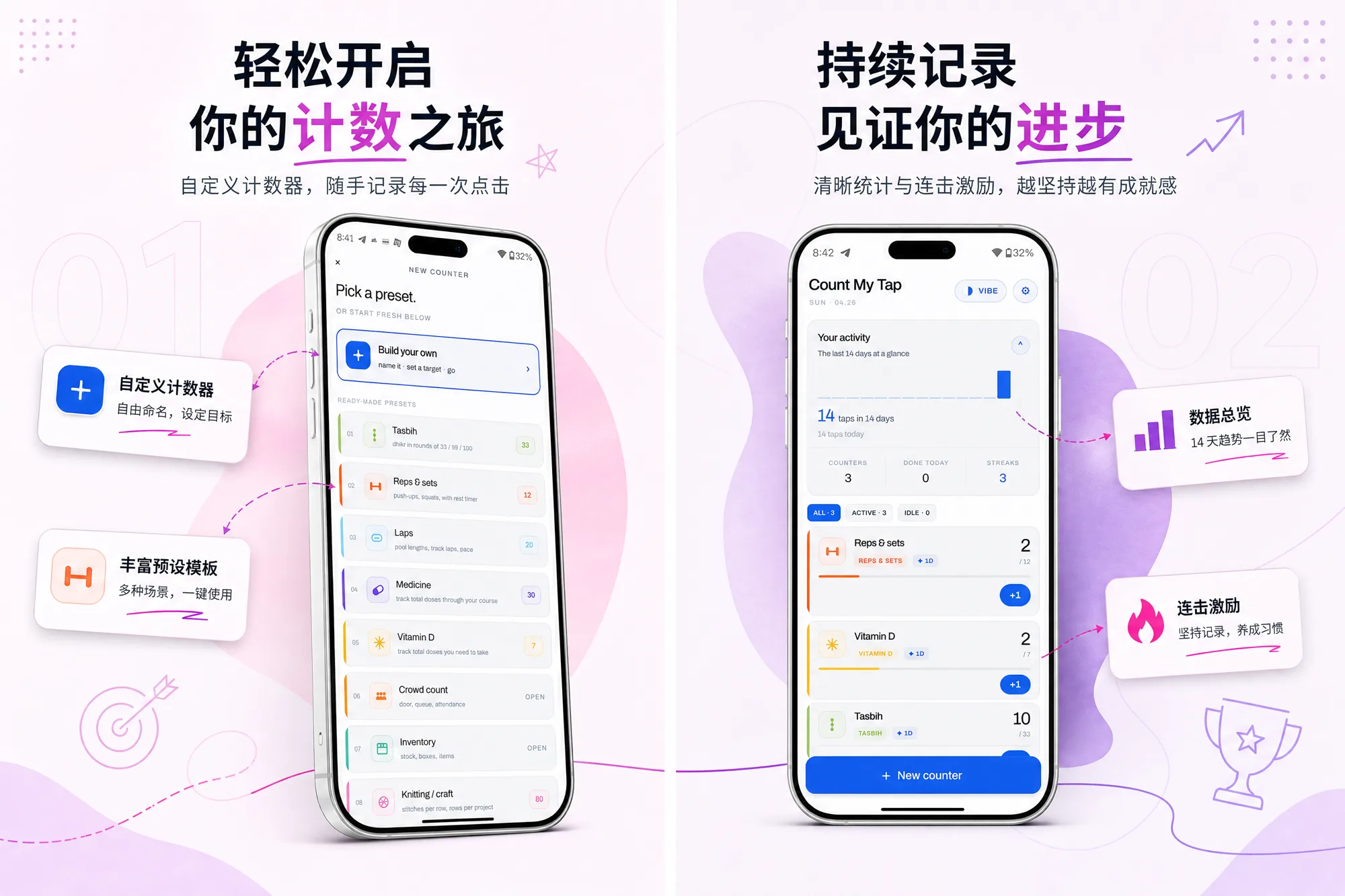
From one source set, SnapMonk generated German, Spanish, and Chinese variants so the headline on the first frame matches the visitor, not just the developer.
- 4Export store-ready sizes
Everything exported at the exact Google Play dimensions in one pass, ready to upload with no manual resizing.
The same set, three languages
One source set, localized so the listing matches the visitor and not just the developer.
The results
The new set went live, and nothing else about the app changed in the same window: same features, same pricing, same keywords. The only meaningful difference on the listing was the screenshots.
Over the following period, total acquisitions came in at 273, up 72.78% on the previous period. The lift was concentrated exactly where you would expect screenshots to matter most: installs sourced from Google Play search and explore rose 73.2%, because those are the users who land on the listing cold and decide from the first frame.
The localized sets did their share of the work too. A visitor who sees their own language on the first screenshot does not have to translate the value in their head before installing, and the German and Spanish variants gave non-English traffic a reason to stay.
How this was measured
A before-and-after observation: the same listing measured in two periods, with the change made in between. Observed after the change is not the same as caused by it.
- Study design
- Before-and-after observation
- Apps measured
- One app: Count My Tap (Google Play, com.fledger.tapcounter).
- Sample size
- 273 acquisitions in the period after the new set went live, against roughly 158 in the equal-length period before (implied by the +72.78% figure Play Console reports). 265 of the 273 came from Google Play search and explore.
- What changed
- Store screenshots: raw in-app captures replaced with a SnapMonk set led by a headline frame.
- Localization: German, Spanish, and Chinese screenshot sets added.
- Held constant
- App features, pricing, and store keywords were not changed in the window, per the developer.
- No paid acquisition ran in either period.
- Read with care
- A single app and a single period comparison. Seasonality, store-side ranking changes, and normal week-to-week variance are not controlled for.
- Play Console reports the delta on acquisitions, not on conversion rate; listing visitors for the two periods are not published here, so the lift cannot yet be split between more traffic and better conversion.
- The exact comparison dates are not shown yet. They will be added with the Play Console screenshot.
- What would strengthen it
- A Play Console export with the two date ranges, store listing visitors, and conversion rate for each period. That would turn this into a documented before-and-after with a conversion figure, though still not a controlled test. A controlled version would be a Google Play store listing experiment on the same app.
We always knew our screenshots were the weak link, we just never had a fast way to fix them. SnapMonk wrote the headline, framed the screens, and gave us German, Spanish, and Chinese versions in one sitting. Installs from Google Play search jumped over 70% and the only thing we changed was the listing art.
The takeaway
The lesson is not "screenshots are nice to have." For a small utility, the first screenshot is the pitch, and a raw UI capture wastes it. Writing one clear headline on the lead frame, then localizing the set, was the cheapest growth lever available, and it moved the number that matters.
None of this needed a designer or a week of work. It needed the raw screens and a few minutes.
About SnapMonk
SnapMonk is an AI app screenshot generator for the App Store and Google Play. It turns raw app screens into store-ready screenshots, writing the captions, choosing the layout, adding device frames, and producing localized variants, then exports everything at the exact App Store and Google Play sizes. It is built for indie shippers who do not have a designer.
Frequently asked questions
Can better app screenshots really increase downloads?
Yes. Screenshots are the first thing most users see on a store listing, and the first frame does the heavy lifting. When it leads with a clear headline instead of a raw UI capture, more visitors understand the app and install. Count My Tap grew total acquisitions 72.78% over the previous period after switching from raw captures to a captioned, localized set, with installs from Google Play search and explore up 73.2%.
How long does it take to make App Store and Google Play screenshots with SnapMonk?
For Count My Tap, the full set across German, Spanish, and Chinese came together in one sitting. You upload your raw screens, pick a direction, and SnapMonk writes the captions, frames the device, and exports App Store and Google Play sizes.
Do localized screenshots matter for app downloads?
They do when you have non-English traffic. A visitor who sees their own language on the first screenshot is more likely to install because they do not have to translate the value first. SnapMonk generates localized variants of the whole set from one source, so you do not rebuild it per language.
What should the first app store screenshot show?
The main promise of the app, in plain words, with a short headline. For Count My Tap that meant leading with what the app does ("count anything with a tap") rather than a bare counter on a blank screen.
What is SnapMonk?
SnapMonk is an AI app screenshot generator for the App Store and Google Play. It turns raw app screens into store-ready screenshots, writing the captions, choosing the layout, adding device frames, and producing localized variants, then exports everything at the exact App Store and Google Play sizes. Count My Tap used it to rebuild its Google Play screenshot set and grew acquisitions 72.78% over the previous period.